The Ultimate Guide to AI Photoshoot Prompts: How to Create a Hyper-Realistic AI Twin Using Just One Photo (2026 Edition)
Introduction to AI Twin Creation
In a digital world where visuals speak louder than words, the pressure to show up flawlessly online has never been higher. Whether you’re a freelancer building your brand, a solopreneur running your business from your living room, or a creator trying to stay consistent without burning out — your imagery matters.
But here’s the truth no one wants to admit:
Most women today feel overwhelmed by the pressure to always look “camera ready.”
As entrepreneurs and creators, we carry enough. We don’t always wake up with perfect makeup, perfect energy, or the perfect mood for a content shoot.
And yet… your brand still needs content.
Your business still needs visibility.
Your audience still needs to see you.
With just one photo and the right prompt structure, you can create a stunning, realistic AI twin that can model for you 24/7, without the pressure of looking perfect, paying for photographers, or finding time for photoshoots. This method is not only real — it’s simple, accessible, budget-friendly, and empowering.
This guide will show you everything you need to know.
Why AI Photoshoots Are Becoming the New Standard for Digital Brands
The Rise of “AI Twins” and Virtual Photoshoots
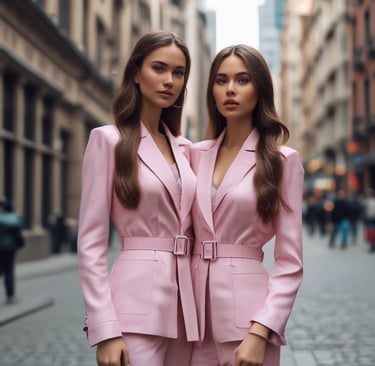
An AI twin is a digital version of yourself that can appear in brand visuals, lifestyle images, marketing elements, and even product placements — all generated through AI with a single reference photo
This isn’t sci-fi anymore.
This is the new era of content creation.
The Pain Points That AI Photoshoots Solve
For women in business, especially beginners in AI, freelancers, creators, and solopreneurs, the struggles are painfully familiar:
You don’t always have the time or energy to get ready for a photoshoot.
Professional shoots cost hundreds (sometimes thousands).
Inconsistency in brand visuals kills your aesthetic.
You want to show up confidently — but without relying on your physical appearance every day.
Traditional photoshoots are amazing — but they’re not always realistic.
AI photoshoots?
They’re consistent.
They’re instant.
They’re affordable.
They’re empowering.
And with the right tools and prompts, they can look hyper-realistic — even editorial-level.
What Exactly Is an AI Twin? (And Why It’s a Game-Changer)
Your AI twin is a digital clone that reflects your features, your skin tone, your energy, and your style.
It pulls from:
One clear reference photo
A well-written prompt
AI consistency models
AI twin can produce photos for:
Social media content
Marketing visuals
Brand collaborations
Virtual photoshoots
Website graphics
Product placements
Campaigns and ads
—all with consistency and high quality
This isn’t meant to replace you.
It’s meant to support you.
Especially on days you’re:
Busy
Tired
Not feeling photogenic
Traveling
Working behind the scenes
Choosing privacy
Your AI twin keeps your brand alive.
The Tools You Need to Create a Stunning AI Photoshoot
1. OpenArt AI
Key features:
100+ image generation models
Character likeness models
Background removal tools
Inpainting & transformations
Reverse image-to-prompt tool
Commercial licensing
SEO Keyword Boost: AI image generator, realistic AI portraits, AI creative tools, OpenArt AI.
2. Nano Banana (for Hyper-Realism)
This model keeps:
Facial identity
Lighting consistency
Pose accuracy
Realistic skin texture
Natural hair flow
SEO Keyword Boost: Nano Banana model, OpenArt portrait model, best AI character generator.
Step-by-Step: How to Create an AI Photoshoot Using Only One Photo
Step 1 — Create Your OpenArt Account
Quick, easy, free to start ➡️ OpenArt sign-up.
Step 2 — Upload One Clear Reference Photo
This is crucial.
Good lighting
Clear view of face
Minimal shadows
No filters
Neutral facial expression
This ensures accuracy and realism.
Step 3 — Choose Nano Banana
Why Nano Banana?
Because it produces images that look:
Editorial
Cinematic
High-end
Consistent across styles
Step 4 — Choose an Inspiration Image
This influences:
Mood
Lighting
Pose
Outfit style
Setting
Aesthetic
You can get inspiration from:
Pinterest
Instagram
Fashion editorials
Brand campaigns
Mood boards
Step 5 — Generate Your Prompt
This structure typically includes:
Setting
Outfit
Mood
Camera angle
Camera lens
Lighting
Colors
Textures
Composition cues
Step 6 — Generate Multiple Variations
This allows you to refine:
Skin tone
Lighting
Pose accuracy
Outfit flow
Background clarity
Facial consistency
Step 7 — Choose, Refine, Repeat
AI mastery is a loop:
Adjust prompt
Re-upload a better reference
Choose new lighting
Try a new pose style
Change the camera lens
Consistent refinement = the most realistic AI twin.
What Makes an AI Photo Look “Real”? (The Secret Ingredients)
Lighting
Soft daylight
Natural warm tones
Cinematic golden hour
Diffused studio lighting
Camera Lens & Focus
50mm for lifestyle
85mm for portraits
Shallow depth of field
Crisp facial detail
Soft bokeh backgrounds
Textures & Details
Skin texture
Hair flow
Fabric folds
Realistic shadows
Color Grading
Soft neutrals
Warm undertones
Matte finish
Editorial tones
Composition
Clean backgrounds
Balanced framing
Professional angles
Why Beginners Struggle With AI Photos (and How This Guide Fixes It)
Most beginners:
Don’t know prompt structure
Don’t understand lighting terms
Use low-quality reference photos
Describe poses incorrectly
Add too many unnecessary details
Forget about camera and lens cues
Use the wrong model
Your AI Photoshoot Prompt Pack removes these hurdles entirely.
Instead of guessing… you follow a perfected system.
What’s Inside the AI Photoshoot Prompt Pack (£5.99)
This digital product includes:
A full step-by-step guide (pages 4–5)
Workflow breakdown
Best practices (page 22)
Real AI example spreads (pages 6–22)
AI twin creation strategy
How to choose inspiration images
Consistency framework
Lighting + lens recommendations
Editing recommendations
Tools list
Prompt formulas
Everything a beginner, freelancer, or female creator needs to level up fast — without overwhelm.
Real Examples of AI Photos You Can Create With This Prompt Pack
Your AI twin can appear in:
Salon editorial shoots
Kitchen lifestyle scenes
CEO desk setups
Podcast studio layouts
Luxury bathroom scenes
Winter outdoor fashion
Parisian luxury streets
Home living room portraits
Warehouse and studio branding
Beauty editorial close-ups
These scenarios match the desires of modern women entrepreneurs: elevated, polished, high-end, lifestyle-focused branding.
Recommended AI Tools to Increase Your Results (Beyond Nano Banana)
For broader SEO reach, include tools like:
Midjourney — artistic styles
ChatGPT (Vision) — describe inspiration images
D-ID — animate portraits
Lensa AI — stylized portraits
Runway ML — video generation
Luma AI — 3D scenes
Canva AI — quick editing
Fotor AI — backgrounds and cleanup
This shows your reader you’re a comprehensive authority — while still positioning Nano Banana as the best for real-face consistency.
Final Thoughts — The Future of Women’s Branding Is Here
You don’t need perfect lighting.
You don’t need perfect hair.
You don’t need to feel “camera-ready.”
You don’t even need a photographer.
All you need is:
✨ One photo
✨ The right AI model
✨ A beautifully structured prompt
✨ A desire to show up confidently
The AI Photoshoot Prompt Pack gives you everything you need to start today — without pressure, without overwhelm, without complications.
And if you want to go deeper, practice with others, learn more AI skills, or build an income around AI…
Join the AI Income Stack community — where women learn, create, build, and earn together in a modern, empowering space.